Key Takeaways
- AI-edited group images can support creative concepts, family projects, team visuals, and storytelling.
- Everyone who is recognizable in an image should understand and agree to how their likeness will be used.
- Clear source photos, an organized scene plan, and consistent lighting improve the final result.
- An AI-created scene should never be presented as proof that a real event happened when it did not.
- Plain-language labels, saved originals, and human review help protect trust.
AI editing makes it possible to place several people into a shared scene without arranging a traditional group photo shoot. A multiple face swap can be useful for a band concept, a fictional poster, a club graphic, or a playful private project, but visual realism should not be the only goal.
When real people appear in an altered image, creators need to think about consent, privacy, accuracy, and the expectations of anyone who sees the final result. A polished image can still confuse viewers if it looks like a documentary photo of an event that never occurred.
Why AI-Edited Group Images Need More Than Good Visual Quality
Group-image edits generally fall into three categories: a real group photo with minor corrections, a composite built from real photos, or a fully generated scene that uses recognizable likenesses. Each can be creative and legitimate, but each needs an appropriate context.
Viewers should be able to tell whether they are looking at a real moment, a composite, or a fictional concept. Work on building trust in AI-generated media highlights why labeling, provenance, and media literacy matter alongside technical tools. In practice, creators should make it easy for people to understand what changed and what the image is meant to represent.
Start With A Clear Creative Goal
Decide what the image needs to communicate before uploading photos or writing prompts. A defined purpose helps prevent unnecessary edits and makes the final image easier to describe honestly.
- A family artwork or private memory project.
- A band, club, or sports team concept.
- A fictional movie poster or story scene.
- A social media graphic or event announcement.
- A visual concept for a future photo shoot.
A fictional poster can use dramatic styling and invented locations. An image that resembles a news photo, workplace record, or historical event requires much more caution because viewers may assume it documents reality.
Ask recognizable adults for permission before placing them in a new scene or materially changing their appearance. For children, a parent or legal guardian should make decisions about public sharing. Permission to take a photograph is not automatically permission to transform it, repost it, or use it commercially.
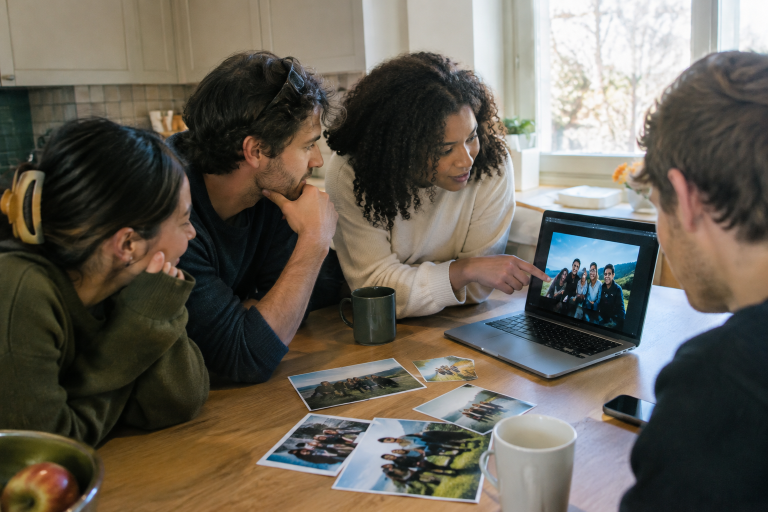
Discuss where the finished image will appear, whether it may be downloaded or reused, and how long it may stay online. Keep written approval for public-facing, commercial, or long-term projects. For example, a friend may enjoy a private joke image but object to the same image being posted to a public account.
Choose Useful Source Photos And Plan The Scene
Better references give an editor more reliable visual information. Use clear images with visible facial detail, moderate lighting, and limited blur. Avoid heavy filters that change skin color or facial proportions, and avoid photos with private information visible in the background.
- Decide who will appear and assign each person a position.
- Choose the camera angle, distance, mood, clothing, and setting.
- Keep subjects visually separate where possible.
- Use more than one reference photo if a single image has an awkward angle or poor detail.
- Review early versions for identity mix-ups, scale problems, and unnatural poses.
A simple plan reduces the chance that faces will be assigned to the wrong body or that people will blend together in a crowded composition.
Match Lighting, Color, And Perspective
A believable composite depends on visual consistency. Compare the direction of light on every face, the warmth of skin tones, shadow placement, eye direction, and the relative size of each head. A face photographed outdoors in bright daylight may look pasted into a group scene lit by warm indoor lamps.
Also, check sharpness and perspective. A crisp close-up face beside a soft, distant body can look unnatural, even when the facial likeness is accurate. Adjusting the whole image together often produces a more coherent result than correcting each face separately.
Review The Image For Common AI Errors
Do not post the first version without inspection. Small errors can change a person’s appearance or reveal that the image was assembled poorly.
- Uneven eyes, teeth, ears, hairlines, or facial proportions.
- Hands with missing, merged, or misplaced fingers.
- Unreadable text on signs, clothing, or logos.
- Incorrect glasses, jewelry, hairstyles, or accessories.
- Inconsistent skin tones, shadows, reflections, or background objects.
- A result where someone is no longer recognizably themselves.
Use A Simple Quality-Control Checklist
- View the image at full size, then zoom in on each person.
- Check faces, hands, clothing, and accessories.
- Compare every likeness with the approved source photos.
- Inspect the background for altered text, objects, or misleading details.
- Ask another person to review the final version.
- Save source files and the final export separately.
A second reviewer can notice mistakes that a creator may overlook after repeated rounds of editing.
Label Images And Understand Provenance Limits
Use simple descriptions such as “AI-edited group image,” “fictional composite,” or “concept image.” If the depicted scene did not happen, say so near the image rather than relying only on hidden file data. Clear labels reduce confusion and show respect for the people depicted.
Metadata, watermarks, and content credentials can offer useful context about how the media was created or edited. However, files may be converted, cropped, screenshotted, or reposted in ways that remove some signals. Tools for understanding how content was created and edited can support transparency, but they do not prove consent or replace careful human judgment.
Protect Privacy And Know When Not To Use These Images
Before uploading source photos, review a service’s privacy terms, remove unnecessary location details when practical, and avoid uploading identity documents, confidential workplace material, or sensitive family photos. Use private sharing settings for private projects and delete unused uploads when the service provides that option.
Do not use AI-edited group images as evidence for legal, medical, financial, insurance, investigative, or news-related claims. They should also not be used to mislead voters, falsely imply an endorsement, harass someone, impersonate them, or create sexualized material involving a real person without explicit consent.
Common Questions About AI-Edited Group Images
Is an AI-edited group image a real photo?
Usually, it is a composite or synthetic image. It may include real source photos and real faces, but the final scene may not show a real event.
Do all recognizable people need permission?
As a responsible practice, yes. This is especially important for public, professional, commercial, or long-lasting uses.
What should be saved with the final image?
Keep the original photos, final file, creation date, a short description of major edits, permission records when relevant, and any available content-credential information.
Final Thoughts
AI-edited group images can be playful, useful, and visually compelling when they are made responsibly. The strongest results combine a clear creative purpose with informed consent, careful privacy choices, accurate review, and honest labeling. Trust comes from helping viewers understand what they are seeing and ensuring that the people shown had a fair chance to agree.